
November 4, 2026
Dog Grooming Text Message Templates: 25 Texts Ready to Copy
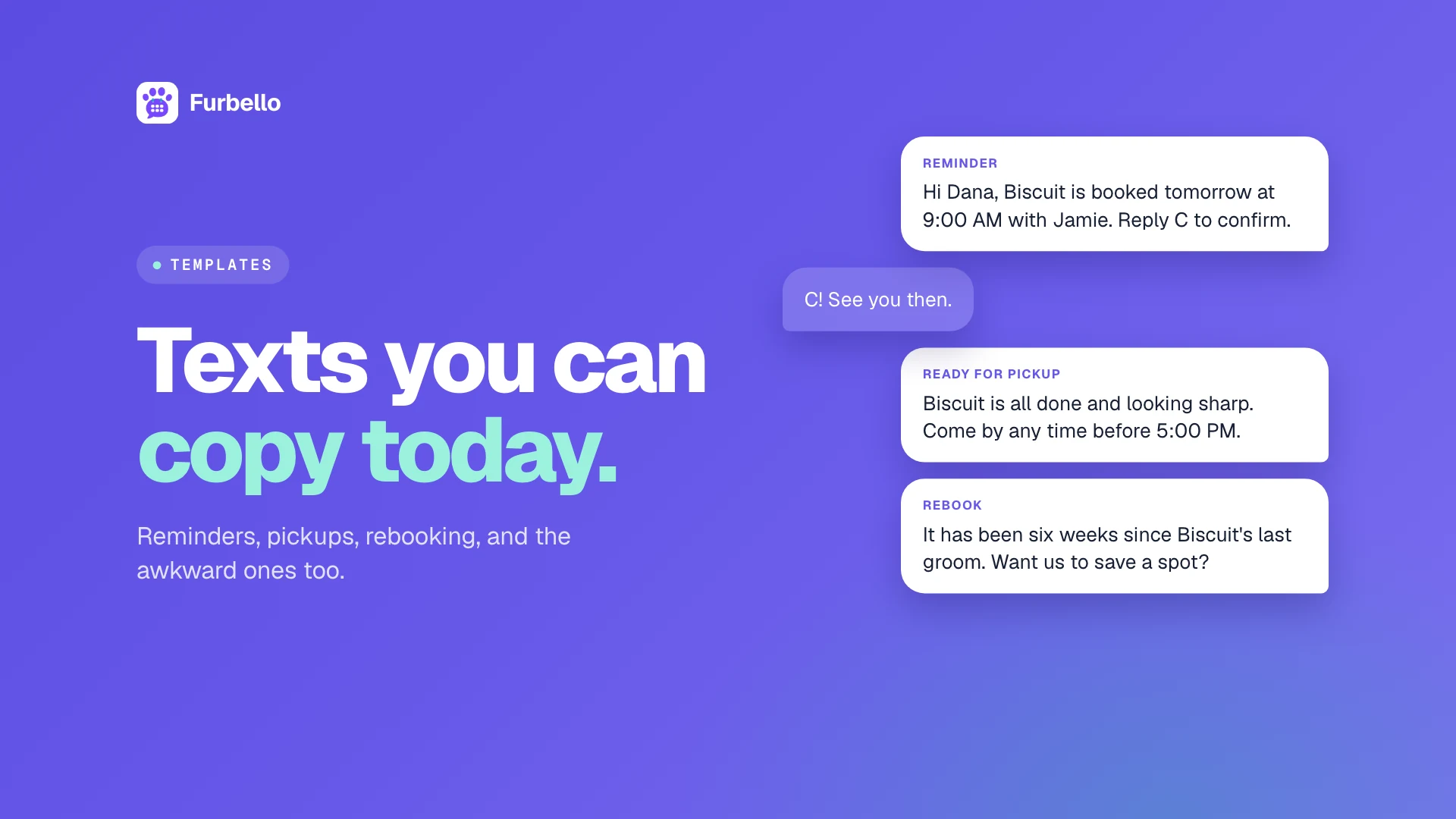
Texting is how most grooming clients want to hear from you. A short text gets read, it does not interrupt anyone's day, and it gives clients an easy way to reply. The hard part is finding the right words when you have a dog on the table and three more waiting.
This guide gives you 25 dog grooming text message templates you can copy today, grouped by the moment you need them: booking, reminders, the day of the groom, changes, follow ups, and policy messages. Before the templates, five quick rules that keep your texts friendly, professional, and on the right side of carrier rules.
The short answer: the best grooming texts start with your business name, say one thing clearly, fit in a single text, tell the client exactly what to do next, and only go to clients who agreed to receive them.
Five Rules for Professional Grooming Texts
1. Only text clients who agreed to it
Get permission before you text. The wireless industry's own guidelines, the CTIA Messaging Principles and Best Practices, treat appointment reminders as informational messages: the client agrees to them when they give you their number for that purpose. Promotional texts, like a holiday special, need written consent to marketing messages. The simplest habit is a checkbox on your intake or booking form that says the client agrees to receive appointment texts.
2. Start with your business name
Your client may have three groomers, a vet, and a dog walker in their phone. Start every text with your business name so they know who is writing before they read the rest.
3. Keep it to one text
A standard text holds 160 characters. According to Twilio's documentation, a single emoji or special character switches the whole message to a format that holds only 70 characters, which can turn one text into two or three. Use plain words, straight quotes, and no emoji, and most of the templates below fit in one text once you fill in short names.
4. Tell them what to do next
Every text should end with one clear action: confirm, reply, tap a link, or simply show up. If you want a reply, say exactly what to reply with.
5. Respect STOP and quiet hours
If a client replies STOP, stop texting them. Most texting tools handle this automatically, but it is your responsibility either way. And unless something is urgent, send texts during normal business hours.
In the templates below, replace anything in brackets. [Business] is your business name, [Client] is the owner's first name, and [Pet] is the pet's name.
Booking and Confirmation Texts
1. Booking confirmation
[Business]: Hi [Client]! [Pet] is booked for [Day], [Date] at [Time] with [Groomer]. Reply here if you need to change anything.
Send it right after the appointment is made. It is the client's receipt that the booking is real.
2. Booking request received
[Business]: Thanks [Client]! We got your request for [Pet] on [Date]. We will confirm the time by text within one business day.
Use this if you review new client requests before accepting them, so the client is not left wondering.
3. Please confirm
[Business]: Hi [Client], [Pet] is set for [Day] at [Time]. Please reply C to confirm or R if you need to reschedule.
Send it two or three days ahead for longer grooms, so you still have time to fill the slot if the client needs to move. If you ask for a reply, make sure someone reads the replies the same day.
Reminder Texts
4. Day before reminder
[Business]: Reminder! [Pet] is booked tomorrow at [Time]. Need to change it? Reply here or use this link: [Link]
The most important text you send. A reminder the day before catches most forgotten appointments while there is still time to act. For more ways to cut missed visits, see our guide on how to stop no shows at your grooming salon.
5. Same day reminder
[Business]: See you and [Pet] today at [Time]! Please arrive on time so we can give [Pet] the full groom.
Useful for clients who have missed appointments before, or for early morning drop offs.
6. First visit reminder with instructions
[Business]: Hi [Client], we can't wait to meet [Pet] tomorrow at [Time]! Please bring rabies records and take [Pet] for a potty walk before drop off.
First visits go smoother when clients know what to bring.
7. Vaccine record needed
[Business]: Hi [Client], our records show [Pet]'s rabies vaccine expires on [Date]. Please send us the updated record before the next visit. Thank you!
Send it a few weeks before the vaccine expires, not the morning of the appointment.
Day of the Groom
8. Salon running behind
[Business]: Hi [Client], we are running about [20] minutes behind today. [Pet] is in good hands and we will text you the moment [Pet] is ready.
Clients forgive delays. They do not forgive silence.
9. On my way (mobile)
[Business]: Hi [Client], your groomer is on the way for [Pet]! Expected arrival: [Time].
Mobile clients plan their morning around you. A heads up text means the dog is ready and the gate is open.
10. Running late (mobile)
[Business]: Hi [Client], running about [15] minutes behind for [Pet]. Thanks for your patience!
11. Ready for pickup
[Business]: [Pet] is ready for pickup and looking great! We are open until [Time]. See you soon.
Send it the moment the dog is done. Faster pickups mean emptier kennels and a calmer afternoon.
12. Ready for pickup, with a note
[Business]: [Pet] is ready for pickup! [Groomer] noticed some matting behind the ears. We will show you at pickup and share a brushing tip.
When there is something to discuss, a short heads up keeps it from feeling like a surprise at the counter.
13. Closing time reminder
[Business]: Hi [Client], just a reminder we close at [Time] today and [Pet] is ready and waiting. See you soon!
Changes and Cancellations
14. Appointment moved
[Business]: Hi [Client], [Pet]'s appointment has moved to [Day], [Date] at [Time]. Reply here if that does not work.
15. Cancellation confirmed
[Business]: Hi [Client], [Pet]'s appointment on [Date] is cancelled. Want a new time? Reply here or book at [Link].
16. You need to reschedule
[Business]: Hi [Client], we are so sorry, but [Groomer] is out sick on [Date]. Can we move [Pet] to [Option 1] or [Option 2]? Reply 1 or 2.
Offering two specific options gets a faster answer than "when works for you?"
17. Weather closure
[Business]: Due to weather we are closed today, [Date]. We will text you shortly with a new time for [Pet]. Stay safe!
After the Visit
18. Thank you and rebook
[Business]: Thanks for bringing [Pet] in today! To keep the coat in great shape, we suggest the next groom in [6] weeks. Want us to save a spot?
19. Rebook reminder
[Business]: Hi [Client], it has been [6] weeks since [Pet]'s last groom. Ready for the next one? Book here: [Link]
This one quietly brings back clients who meant to rebook and forgot.
20. First visit follow up
[Business]: Hi [Client], thanks for trusting us with [Pet] for the first time! How is [Pet] doing at home? We would love to hear.
A personal follow up after a first visit is one of the easiest ways to turn a new client into a regular.
21. Payment link
[Business]: Hi [Client], the total for [Pet]'s groom is [Amount]. You can pay securely here: [Link]. Thank you!
Policy Texts
These are the hardest to write, so having the words ready helps. If you do not have a written policy yet, start with our dog grooming cancellation policy template.
22. Late cancellation fee
[Business]: Hi [Client], sorry [Pet] could not make it. As our policy mentions, cancellations with less than [24] hours notice have a [$X] fee. Want to rebook?
23. No show follow up
[Business]: Hi [Client], we missed [Pet] at [Time] today and hope all is okay. Reply here when you are ready to rebook.
Lead with care. Whether you charge a no show fee or not, the goal is to get the client back on the calendar.
Seasonal and Promotional Texts
Promotional texts need the client's consent to marketing messages, not just appointment texts. Keep them occasional and genuinely useful.
24. Holiday booking reminder
[Business]: Our holiday calendar is filling up! To get [Pet] groomed before [Holiday], please book by [Date]: [Link]
Pair it with a clear cutoff date. Our holiday grooming season guide has a full planning timeline.
25. Last minute opening
[Business]: We just had an opening tomorrow at [Time]. Want it for [Pet]? First to reply gets it!
Send it only to clients who asked to hear about openings, and only one or two at a time.
Tips for Using These Templates
Save them where you can reach them fast. A note on your phone works. Software that sends the standard ones automatically works better.
Read them out loud once. If it sounds stiff, change a word or two so it sounds like you.
Keep the tone the same across your team. Clients should not be able to tell which groomer sent the text.
Answer replies quickly. A text invites a conversation. If replies go to a phone nobody checks, clients stop replying.
Write a Spanish version if your clients need it. The same rules apply: short, clear, and one text when you can.
How Furbello Handles Grooming Texts for You
Many of these templates do not need to be typed at all. In Furbello, the standard client texts go out on their own at the right moment:
Booking confirmations, confirmation requests, and reminders, with a link where clients can confirm or move their visit themselves.
Moved, cancelled, and no show texts when you change an appointment.
Ready for pickup as soon as you mark the pet ready.
On my way and running late buttons for mobile groomers.
Optional rebook reminders when it is time for the next groom, with a link to book in one tap.
You can rewrite the wording of the standard texts in your own voice, in English and in Spanish. Your business name is added automatically, texts only go to clients who agreed to receive them, and STOP replies are handled for you. When clients reply, their messages land in a shared inbox your team can answer from.
FAQ
Do I need permission to text my grooming clients?
Yes. Get consent before you text, ideally a checkbox on your booking or intake form. Appointment texts need consent for that purpose, and promotional texts need written consent to marketing messages. Always honor STOP replies.
How long should a grooming text message be?
Aim for one standard text, which holds 160 characters. Avoid emoji and special characters, since one of them can cut the limit to 70 characters and split your message into several texts.
When should I send appointment reminder texts?
The day before is the most common choice, sent during business hours. For long grooms or clients who often cancel late, add a confirmation request two or three days ahead.
Should grooming reminders ask clients to reply to confirm?
It can work well if someone reads and answers replies the same day. A confirmation link is easier to manage because the confirmation is recorded on the appointment automatically.
Can I send promotional texts to grooming clients?
Only to clients who agreed to receive marketing messages. Keep promotions occasional, useful, and easy to opt out of.
Copy, Personalize, Send
Good texts make your business feel organized and personal at the same time. Copy the templates you need, adjust the wording until it sounds like you, and let software send the routine ones so you can stay at the table.
If you want reminders, pickup texts, and rebook messages to go out on their own, start your free 14 day trial of Furbello. No credit card is required.